
ASUS ProArt GR1X RTX Spark 128GB Mini PC [2026]
ASUS ProArt GR1X RTX Spark: 128GB Unified Mini PC with 10GbE Per VideoCardz Sept 7 [2026 Full Guide]
By Indie Kings | September 8, 2026 | Updated September 8, 2026 | 18 min read
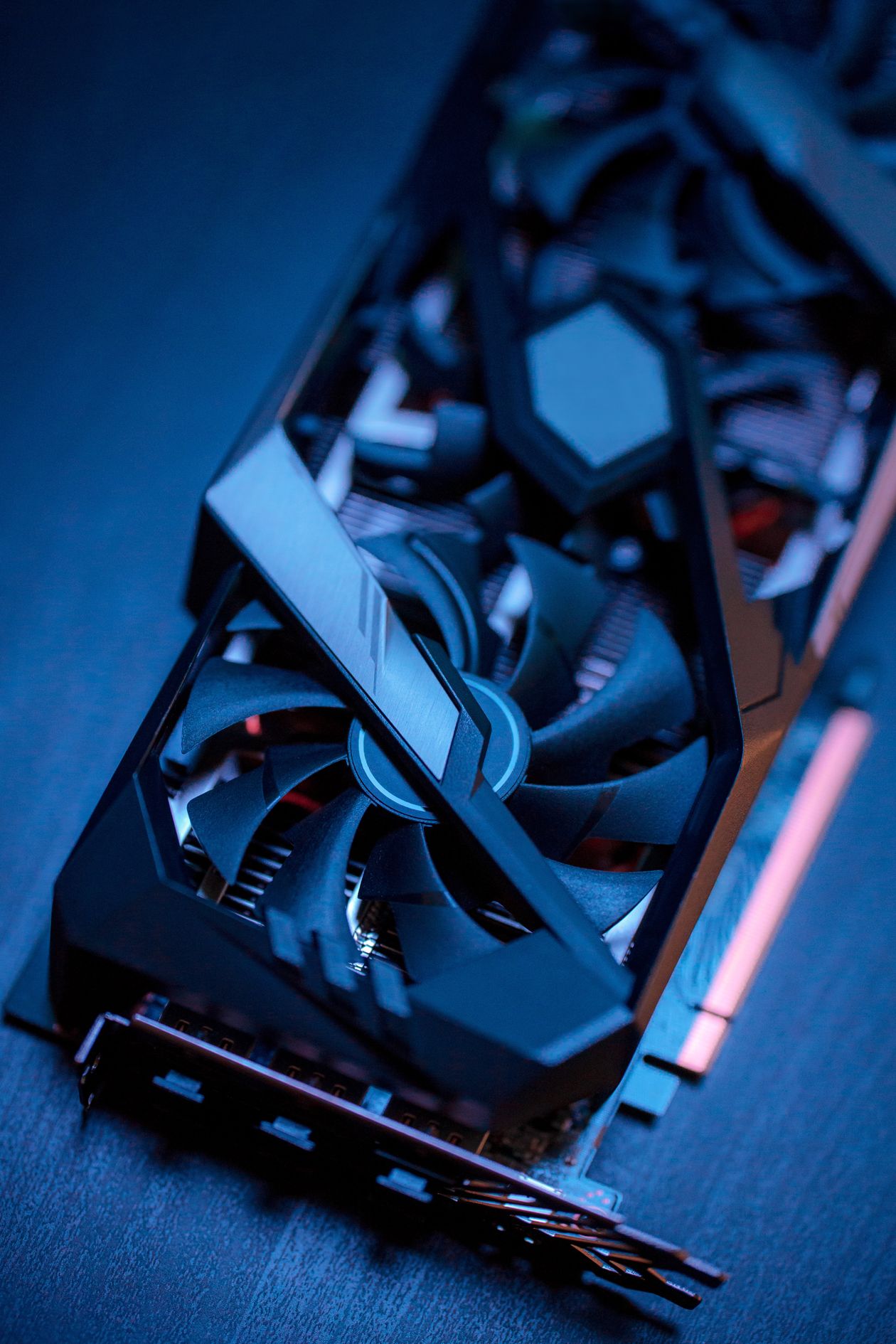
Photo: Pexels free use.
On September 7, 2026, VideoCardz reported ASUS ProArt GR1X mini PC details with NVIDIA RTX Spark, 128GB unified memory, and 10GbE. The GR1X measures 150 by 150 by 51 mm, uses RTX Spark with Blackwell GPU at 6144 CUDA cores plus Grace CPU up to 20 cores, offers up to 1 PFLOP FP4 AI performance, and targets local models up to 120B parameters. ASUS also finalized ProArt P16 and P14 RTX Spark laptops with up to 128GB unified. No pricing was announced in the IFA update. This full guide covers GR1X specs, what 128GB unified means for creators, 10GbE plus WiFi 7 plus quad 4K value, 24/7 cooling design, mini PC AI positioning, Mac Studio comparison, setup planning, and buy or wait logic. For live mini PC plus GPU bundle prices see our Bundle Tracker.
Table of Contents
- 1. What VideoCardz Reported Sept 7 on GR1X
- 2. Full Spec Sheet: Chip, Memory, Size, IO
- 3. 128GB Unified Memory: What It Unlocks for AI
- 4. Creator Workflows: 120B LLM, 90GB Scenes, 4K Video
- 5. Networking and Displays: 10GbE, WiFi 7, Quad 4K
- 6. Cooling and 24/7 Design: Dual Fan, 218 Blades
- 7. Mini PC AI Position: Who It Fits
- 8. GR1X vs Mac Studio: Price, Memory, Software
- 9. Setup Plan: Power, Storage, Backup, Software
- 10. Verdict and What To Watch Next
1. What VideoCardz Reported Sept 7 on GR1X
VideoCardz published the GR1X detail report on September 7, 2026 at 18:13 GMT by WhyCry. Headline facts: ASUS details ProArt GR1X mini PC with NVIDIA RTX Spark, 128GB unified memory and 10GbE. Body facts: name finalized as ProArt GR1X after a nameless Computex preview, with 1X pointing to N1X flagship class ARM chip for Windows. Platform is NVIDIA RTX Spark with Blackwell GPU at 6144 CUDA cores and Grace CPU up to 20 cores. Memory is up to 128GB unified. AI peak is up to 1 PFLOP FP4. Local LLM target is up to 120B parameters. Chassis is 150 by 150 by 51 mm. Cooling is dual fan with 218 blades and seven fan levels, rated up to 1.6 times greater thermal coverage for sustained 24/7 operation. Networking is 10GbE plus WiFi 7 plus Bluetooth 5.4. Display support is up to four 4K screens. Finishes are Black and Silver. Companion news: RTX Spark ProArt P16 and P14 laptops shown at IFA with up to 128GB unified, P16 at 12.9 mm and 1.77 kg with 99Wh battery and 4K 120Hz OLED with VRR and G-SYNC, P14 at 13.9 mm and 1.48 kg with 90Wh battery and up to 3K OLED. No pricing for GR1X, P16, or P14 in the IFA update. Source cited is ASUS. That is the reported base for this guide. See mini PC bundle value in our Bundle Tracker.
Event context helps place the news. ASUS announced the ProArt RTX Spark family at Computex 2026 without final mini PC naming, then showcased P16, P14, and GR1X at its dedicated IFA 2026 Media Showroom in Berlin from September 2 to 5 at ABION Spreebogen Waterside Hotel, ahead of public IFA. ASUS press from September 2 frames RTX Spark as the first Windows PC platform built for personal agents, with CUDA ecosystem support for local generative AI, model building, and agentic workflows. VideoCardz Sept 7 update is therefore a spec finalization story, not a launch review. No independent benchmarks, no retail ship date, and no MSRP are inside it. Readers should treat GR1X as real hardware with firm dimensions and IO, firm memory ceiling, and firm chip class, but with price, date, and third party performance still open. Our sections below respect that boundary and label planning advice as guidance.
2. Full Spec Sheet: Chip, Memory, Size, IO
Compute block is NVIDIA RTX Spark superchip, N1X class in GR1X naming logic. It pairs a Blackwell architecture GPU with 6144 CUDA cores plus Tensor plus RT plus DLSS plus FP4 paths, with a Grace architecture CPU up to 20 cores on the same package. Full stack pitch includes CUDA, RTX, DLSS, FP4, TensorRT, OptiX, Reflex, and G-SYNC support for Windows on ARM. Peak AI is listed up to 1 PFLOP at FP4 precision, the format that makes large local models practical by cutting bits per weight. System memory is up to 128GB unified, shared between CPU and GPU with high speed local access, which removes the classic 8 to 24GB VRAM wall that blocks large models on gaming GPUs. Chassis is 150 by 150 by 51 mm, true deskside mini volume near 1.15 liters, usable vertical or horizontal. Colors are Black and Silver to match ProArt displays and peripherals. Power is ultra efficient desktop class with external brick logic, not multi kW workstation plumbing. That efficiency is the point. GR1X aims for quiet desk operation with sleep plus instant on behavior, not server closet hosting. Compare mini PC power plus mount bundles in our Bundle Tracker.
IO and wireless complete the desk story. Wired is 10GbE for NAS, shared NVMe, and multi machine render or inference pipelines. Wireless is WiFi 7 plus Bluetooth 5.4 for low latency peripheral and high throughput backup to WiFi 7 routers. Display output drives up to four 4K panels for timeline plus scopes plus chat plus preview walls. That quad 4K ceiling matters for color suites and trading style AI monitoring where one screen is never enough. Laptop siblings share the memory ceiling. P16 offers up to 4K 120Hz OLED with VRR and G-SYNC for HDR review, P14 offers up to 3K OLED for portable grading. Both support up to 128GB unified, so a GR1X plus P14 combo can share model weights and project files without re quantization for different VRAM tiers. What remains unconfirmed is port level detail, USB4 versus Thunderbolt branding on ARM, SD Express speed for camera ingest, and exact PSU wattage. Wait for ASUS spec PDF before buying docks and cables.
3. 128GB Unified Memory: What It Unlocks for AI
Conventional PCs split memory into system DDR plus discrete VRAM. A creator laptop with 32GB DDR plus 12GB VRAM can only keep about 12GB hot for GPU models, even though 44GB total sits in the box. GR1X unified pool lets CPU and GPU address up to 128GB as one space, so large models, large 3D scenes, and high res generation can stay resident without PCIe offload stalls. ASUS cites three anchor loads. Local LLMs up to 120B parameters, ultra large 90GB plus 3D scenes, and 4K AI video generation. A 120B model at 4 bit needs roughly 60GB for weights plus context plus buffers, which fits in 128GB with room for OS and creative apps. A 70B model at 8 bit needs similar math and also fits. A 32B model fits with long context and large batch headroom. That headroom is what removes token fees and cloud waits for daily agent runs like MuseTree local FLUX inference and StoryCube scene recognition highlighted in ASUS materials. cautiously, pre production CUDA validation gaps reported on early RTX Spark prototypes in July show software must be proven on retail drivers before buying for CUDA billable work. Hardware ceiling is real. Software proof must follow per driver version. Track DDR plus NAS bundles for model storage in our Bundle Tracker.
Bandwidth versus capacity tradeoff must be understood before comparing to HBM workstations. Unified memory at hundreds of GB per s feeds 120B class models at interactive token rates, but far slower per second than HBM3E at terabytes per s on Halo Station class. GR1X therefore wins on capacity per dollar, silence, and desk fit, while HBM wins on tokens per second for trillion class loads. For creators, that means GR1X is ideal for single user agents, local drafts, overnight renders, and private client data that cannot go to cloud. It is not ideal for multi user serving, huge batch training, or 1M token plus 200B plus combined extremes. Practical sizing rule: reserve 16 to 24GB for OS plus creative apps, allocate the rest to model plus context. A 120B 4 bit plus 32k context fits comfortably. Push to 128k plus large batch and monitor KV cache growth closely. Log resident plus cache peaks with vendor tools during pilots, not just weight size.
| Model size | Quant | Weight need rough | 128GB unified fit | Use case |
|---|---|---|---|---|
| 32B LLM | 4 bit | Near 16GB plus buffers | Easy with long context | Daily agents, coding help |
| 70B LLM | 4 bit | Near 35GB plus buffers | Yes with headroom | Pro writing, analysis |
| 120B LLM | 4 bit | Near 60GB plus buffers | Yes, ASUS target | Flagship local agent |
| 120B LLM | 8 bit | Near 120GB plus buffers | Tight, short context only | Quality first, small batch |
| 90GB 3D scene | Native | 90GB resident | Yes per ASUS | Large render, no tiling |
4. Creator Workflows: 120B LLM, 90GB Scenes, 4K Video
ASUS markets three creator proofs that map directly to billable pain. First, 120B parameter LLMs with up to 1M token context claims for research plus script plus code help without subscriptions. Realistic daily use will be smaller contexts for speed, but even 32k to 128k local context removes the most common cloud paste round trips. Agents can read a full project folder, keep style guides resident, and draft without redaction worries. Second, 90GB plus 3D scene rendering without tiling or proxy swaps. Archviz and product scenes with 4K textures plus displacement often exceed 24GB gaming VRAM and force slower out of core paths. Unified 128GB keeps those scenes hot, which cuts iteration time more than a slightly faster GPU with small VRAM. Third, 4K AI video generation plus enhancement locally, where frame consistency needs large temporal buffers. GR1X lets small studios prototype spots and product clips privately before renting farm time for final upscale. All three share one requirement. CUDA plus OptiX plus TensorRT paths must validate on retail GR1X drivers for the exact app versions in use. Pre production reports of CUDA fallback to CPU or Vulkan Compute on early drivers show why pilots must test ComfyUI, DaVinci, Blender, and agent apps before committing. Hardware enables. Drivers decide. See creator app plus display bundles in our Bundle Tracker.
Workflow integration is where ProArt ecosystem helps. ASUS preloads exclusive ProArt apps for local GenAI inside creative flow, pairs GR1X with ProArt displays for calibrated color, and leans on CUDA ecosystem breadth for plugins that already know RTX acceleration. A practical desk loop looks like this. Ingest camera cards over fast USB plus 10GbE NAS, cull in Lightroom style app with local AI masks, edit timeline with GPU effects, run local LLM for transcripts plus selects plus client summaries without uploading rushes, render 3D inserts that reference the same 90GB assets, then export with NVENC class acceleration. The win is fewer round trips and fewer subscriptions, not just raw export speed. Measure wins in minutes saved per project plus fees avoided per month. If local AI saves two hours weekly plus 50 dollars in tokens, payback math beats benchmark bragging. Keep cloud fallback for deadline spikes. GR1X is base load, not infinite burst.
5. Networking and Displays: 10GbE, WiFi 7, Quad 4K
10GbE is the standout IO for a 1 liter box. Most mini PCs ship 2.5GbE and force creators onto slow NAS links or USB shuttles. GR1X 10GbE moves near 1GB per s real world to a 10GbE NAS or studio server, which makes 90GB scene opens, 4K multicam pulls, and model weight syncs practical over wire. A 90GB scene that takes 12 minutes over 1GbE takes near 90 seconds over 10GbE. That time compounds daily. Pair with a 10GbE switch plus NVMe NAS with 10GbE port, use Cat6a or better under 55 meters, enable jumbo frames only if the full chain supports it, and test with iperf before blaming the mini. WiFi 7 covers untethered backup plus peripheral freedom where wire cannot reach, with multi gigabit real world to WiFi 7 routers in clean spectrum. Bluetooth 5.4 handles pens, pucks, keyboards, and audio without dongles. For network planners, one GR1X will not saturate a small 10GbE switch, but four GR1X nodes plus a NAS can. Size switch backplane and NAS pool speed accordingly. Find 10GbE switch plus NAS bundles in our Bundle Tracker.
Quad 4K display support turns GR1X into a color plus data wall. Drive main grading OLED plus scopes plus file browser plus agent chat without a dock in many layouts. Confirm refresh plus chroma limits per port in the ASUS PDF, because quad 4K at 60Hz 10 bit is heavier than quad 4K at 30Hz 8 bit. For color work, feed the hero display direct from GR1X, calibrate with probe, and keep UI panels on secondary outputs to avoid LUT contamination. For AI monitoring, dedicate one panel to token plus queue plus thermals so creative screens stay clean. Cable quality matters at 4K high refresh. Buy certified Ultra High Speed HDMI or DP rated cables at the exact length needed, avoid long passive runs, and test each panel at target refresh before mounting arms. If a dock is still needed for SD ingest plus audio, place the dock on a separate chain from hero display to avoid bandwidth sharing surprises.
6. Cooling and 24/7 Design: Dual Fan, 218 Blades
ASUS now confirms more cooling detail for GR1X. Dual fan design with 218 blades total and seven levels of fan control, rated up to 1.6 times greater thermal coverage versus a prior baseline, aimed at sustained 24/7 operation. Translation for buyers: this mini is tuned for overnight inference, long renders, and agent queues, not just bursty office work. Seven control levels suggest fine steps between silent idle, quiet creative load, and full sustained AI load, rather than a simple quiet versus turbo binary. Dual fans in a 51 mm tall chassis must balance intake plus exhaust carefully. Expect bottom or side intake with rear exhaust, filtered entries, and firmware that ramps on hotspot plus memory junction, not just CPU package. Real room behavior will decide satisfaction. A 1 liter box cannot defy physics. Continuous 100W plus class load in a closed cabinet will heat soak without ventilation. Place GR1X on open desk or vented shelf, keep 10 cm clearance on intake plus exhaust, clean filters monthly, and log fan RPM plus thermals during a 60 minute sustained run before trusting overnight jobs. See cooling plus monitor arm bundles in our Bundle Tracker.
24/7 claim needs practical derating. Vendor 24/7 means thermally capable of continuous rated load with proper ambient, not silent continuous full load in a hot closet. Keep ambient under 27C for quiet sustained work, warmer rooms will run louder at same load. Cap background jobs to leave headroom for interactive use, or schedule heavy inference overnight with fan profiles that respect sleep areas. Use 10GbE plus NAS for checkpoint writes so local SSD wear stays low during constant runs. Enable auto resume after power loss only with UPS protected NAS, otherwise a power blip can corrupt active writes. Pair with a compact UPS sized for safe save plus shutdown, not for continued rendering through outages. Check warranty terms for 24/7 duty rating, because consumer style warranties sometimes limit continuous commercial use. If ASUS rates GR1X for continuous creator duty in writing, small studios can treat it as infrastructure. If not, treat it as a powerful desk node with scheduled rest.
| Trait | ASUS ProArt GR1X | Apple Mac Studio class | Edge |
|---|---|---|---|
| Memory ceiling | Up to 128GB unified | Up to 128GB plus tiers cited | Tie on paper, test bandwidth |
| AI stack | CUDA, TensorRT, OptiX, FP4 | Metal, Neural Engine, Core ML | GR1X for CUDA plugins, Mac for Apple apps |
| Networking | 10GbE plus WiFi 7 confirmed | 10GbE option plus WiFi 6E class | GR1X on wireless gen |
| Displays | Up to four 4K | Multi 6K plus 8K paths | Mac for ultra res walls |
| Size | 150 by 150 by 51 mm mini | Compact desktop tower | GR1X for tiny desks |
| Cooling duty | Dual fan 24/7 pitch | Large thermal mass, quiet sustained | Test noise at same load |
| Price | Unannounced | Known tiers, often high | Wait for GR1X MSRP |
7. Mini PC AI Position: Who It Fits
GR1X fits the creator plus developer middle that outgrows gaming VRAM but cannot justify Halo Station money or power. Target users: YouTubers doing local transcripts plus AI b roll selects with private client footage, indie game devs running 70B coding helpers plus Blender large scenes on one desk, archviz artists opening 90GB scenes without farm round trips, photographers batching local masks plus upscales without cloud per image fees, and small AI teams piloting agents before renting fleet capacity. Common traits are single user or two person rooms, standard wall power, noise sensitivity, need for Windows plus CUDA plugin compatibility, and data that benefits from staying local. GR1X gives them 128GB residency, 10GbE to NAS, quad 4K, and mini footprint in one purchase. It replaces a tower plus cloud subscription combo with a quiet box plus NAS. ROI comes from time plus fees, not from benchmark crowns. If local work saves five hours monthly at billable rates plus 40 dollars in tokens, payback arrives within a year even at premium mini pricing. Validate the exact apps first. See desk plus NAS bundles in our Bundle Tracker.
Poor fit is also clear. Gamers chasing high refresh 4K should buy a discrete GPU desktop, not a shared power mini with ARM Windows gaming gaps. Multi user serving teams need rack or deskside HBM with schedulers, not a single 128GB node. CUDA skeptics who live in Apple only apps should stay Mac. Budget buyers can get 80 percent of non AI creative speed from a cheaper x86 mini plus cloud burst. Early adopter risk sits on software. July prototype CUDA gaps show retail drivers must prove ComfyUI plus TensorRT plus OptiX on your versions before billable dependence. If a studio cannot spare a two week pilot, it should wait for third party validation. If a buyer needs absolute silence under full load, no 1 liter sustained AI box will satisfy without a separate closet. Match the box to the bottleneck. VRAM wall plus desk plus Windows CUDA equals GR1X. Frames per second plus mods equals gaming tower. Trillion params plus multi kW equals Halo class.
8. GR1X vs Mac Studio: Price, Memory, Software
Mac Studio comparison starts with honesty. Apple Silicon owns efficiency, quiet sustained output, and pro video plus audio app polish. RTX Spark GR1X owns CUDA ecosystem breadth, Windows plugin compatibility, and open local model tooling that assumes Nvidia paths. Memory ceilings look tied at 128GB class, but bandwidth and software decide real speed. Apple unified bandwidth near 400 to 500GB per s class on Max tiers feeds tokens fast with excellent perf per watt. RTX Spark unified bandwidth is lower on paper, so Apple may generate tokens faster per second at same model size even when both fit. GR1X counters where CUDA matters. Blender OptiX, TensorRT LLM builds, ComfyUI CUDA nodes, and Windows only capture plus broadcast plugins run natively in Nvidia paths, while Mac needs Metal ports or workarounds. Leaked Geekbench style hints cited in secondary analysis show N1X class multi near 23k versus Apple M5 Max near 35k class, and single near 2570 versus 3766, but those are CPU style synthetics, not sustained AI tokens per second in your app. Do not buy on Geekbench alone. Buy on validated tokens plus render minutes in your stack. Compare display plus dock bundles in our Bundle Tracker.
Price and desk reality will decide most cross shoppers. Mac Studio pricing is known and high once memory and storage climb, with premium for ultra res display support and quiet thermals. GR1X pricing is unannounced, with analyst chatter near 2899 dollars for N1X flagship class configs, unconfirmed by ASUS. If GR1X lands near 2500 to 3000 dollars with 128GB, it competes directly with Studio memory tiers while offering 10GbE plus WiFi 7 plus mini size plus Windows CUDA. If it lands higher, Studio value improves for Apple native shops. Beyond MSRP, count total desk cost. GR1X may need a 10GbE switch upgrade plus NAS expansion to use its link, while Studio may need dongles plus Metal compatible plugins. Noise at same sustained load needs head to head testing, because large Studio thermal mass may hold lower RPM than a 51 mm mini at full inference. Software lock is the tiebreaker. CUDA locked pipelines lean GR1X. Final Cut plus Logic plus Metal optimized grading lean Studio. Mixed shops may run both, with GR1X as agent plus 3D node and Studio as edit plus master suite, synced over 10GbE NAS.
9. Setup Plan: Power, Storage, Backup, Software
Physical setup is simple but must be deliberate. Place GR1X on open desk with intake plus exhaust clearance, connect hero 4K display direct with certified cable, add secondary panels after hero validates at target refresh plus color depth. Wire 10GbE direct to switch with Cat6a, confirm link at 10G in OS, test with iperf to NAS before moving projects. Keep WiFi 7 as failover plus mobile sync, not as primary for 90GB scene opens. Power via stock brick on a quality surge plus compact UPS for safe save. Do not hide the mini in a closed cabinet for sustained jobs. Storage plan matters more than most buyers expect. Local SSD holds OS, apps, active project, and hot model weights. NAS holds masters, archives, and shared weights. A 2TB to 4TB fast local NVMe plus 20TB plus 10GbE NAS covers most solo creators. Nightly backup from local to NAS, plus weekly offsite or cloud for masters only, protects against single drive loss without paying to push everything off site. Encrypt private client data at rest on both tiers. Find NVMe plus NAS plus UPS bundles in our Bundle Tracker.
Software bring up should be staged over two weeks. Week one: update Windows on ARM plus ASUS drivers plus Nvidia RTX Spark retail drivers to validated versions, install creative suite plus agent apps, run CPU plus GPU plus memory stress plus a 60 minute sustained inference loop while logging thermals plus fan plus drops. Week two: pilot one real project end to end, local LLM selects plus edit plus 3D insert plus export, with cloud fallback enabled. Pin versions that pass. Do not auto update mid project. Validate CUDA paths explicitly. Run a small ComfyUI graph, a TensorRT LLM prompt set, and an OptiX render that match billable work, not just demo buttons. If any path falls back to CPU or Vulkan Compute as seen on July prototypes, stop and wait for driver fix before depending on it. Document model plus driver plus app hashes per project so results reproduce. Keep a clean restore image once stable. That image is worth more than any benchmark.
10. Verdict and What To Watch Next
Verdict as of September 8, 2026 is firm hardware, open price and proof. Confirmed per VideoCardz Sept 7 via ASUS: GR1X name, RTX Spark N1X class with 6144 CUDA plus up to 20 Grace cores, up to 128GB unified, up to 1 PFLOP FP4, 120B local target, 150 by 150 by 51 mm, dual fan 218 blades with seven levels for 24/7 pitch, 10GbE plus WiFi 7 plus BT 5.4, quad 4K, Black and Silver, plus P16 and P14 siblings with 128GB and OLED options. Unconfirmed: MSRP, retail date, port level speeds, PSU watts, and third party sustained AI throughput plus noise. Mini PC AI verdict: GR1X is the most desk friendly path to 120B class local AI on Windows with CUDA breadth, ideal for creators who hit 24GB VRAM walls but cannot host multi kW HBM. Mac Studio verdict: Studio keeps the edge for Apple native polish, ultra res walls, and quiet mass, while GR1X leans wins for CUDA locked Windows pipelines and tiny desk plus 10GbE value once price posts. Most buyers should wait for price plus retail driver proof, pilot with one project, then decide. Do not preorder on chassis alone. Track retail listings in our Bundle Tracker.
Watch next in order. First, ASUS spec PDF with port speeds, PSU watts, weight, noise, OS build, and warranty duty rating. Second, MSRP plus SKU matrix for 64GB versus 128GB plus Black versus Silver plus laptop siblings. Third, retail driver validation showing CUDA plus TensorRT plus OptiX passes on production units for popular app versions. Fourth, third party sustained tests with tokens per second at 70B plus 120B, 90GB scene render minutes, 4K video job times, thermals, and noise at one meter. Fifth, head to head GR1X versus Mac Studio at same model plus same context plus same batch, with power measured at the wall. Until price plus proof land, reserve budget, plan 10GbE NAS and desk clearance, and keep current rig tuned. If GR1X launches near expected analyst bands with clean drivers, it becomes the default Windows mini for local agents. If drivers lag or price overshoots, Studio plus cloud burst keeps the crown for another cycle.
FAQ: 6 Answers
1. What did VideoCardz report Sept 7 about GR1X?
ASUS finalized ProArt GR1X mini PC with NVIDIA RTX Spark, up to 128GB unified memory, and 10GbE. Chip is Blackwell 6144 CUDA plus Grace up to 20 cores, up to 1 PFLOP FP4, 120B local target, 150 by 150 by 51 mm, dual fan 218 blades with seven levels for 24/7 operation, WiFi 7 plus BT 5.4, quad 4K, Black and Silver. P16 and P14 RTX Spark laptops also detailed. No pricing announced.
2. What does 128GB unified unlock?
It lets CPU and GPU share one large pool, so 70B to 120B 4 bit LLMs, 90GB plus 3D scenes, and 4K AI video buffers stay resident without gaming VRAM walls. Reserve 16 to 24GB for OS plus apps, use the rest for model plus context. Bandwidth is lower than HBM, so HBM still wins tokens per second for trillion class, while GR1X wins capacity per dollar at the desk.
3. Is GR1X good for mini PC AI versus gaming?
Yes for local agents, private data, overnight renders, and CUDA creative work on Windows. No for high refresh 4K gaming or multi user serving. Gamers should buy discrete GPU towers. Teams needing trillion params need HBM workstations or cloud. GR1X fits single user creators who hit 24GB VRAM limits.
4. How does GR1X compare to Mac Studio?
Memory ceiling ties near 128GB class. Apple leads efficiency, quiet mass, ultra res display paths, and Apple app polish. GR1X leads CUDA breadth, Windows plugin support, WiFi 7 newness, and mini footprint with 10GbE standard. Buy on validated app speed, not Geekbench. CUDA locked shops lean GR1X. Apple native edit suites lean Studio.
5. What setup does GR1X need?
Open desk with clearance, certified 4K cables, Cat6a 10GbE to switch plus NVMe NAS, compact UPS for safe save, 2TB to 4TB local NVMe plus 20TB plus NAS, nightly backup plus weekly offsite for masters. Stage software over two weeks, pin validated drivers plus apps, test CUDA plus TensorRT plus OptiX on real projects before billable dependence.
6. Should you buy now or wait?
Wait for MSRP plus retail driver proof plus third party sustained tests. Reserve budget and plan NAS plus desk space now. Buy at launch only if a pilot on your exact apps passes and price fits total desk cost. Otherwise keep current rig tuned and revisit after GR1X versus Mac Studio head to heads with wall power and noise logged.
Written by Indie Kings, September 8, 2026. Source base: VideoCardz Sept 7, 2026 GR1X report via ASUS plus ASUS Sept 2 IFA press. For live mini PC plus GPU bundle prices see Bundle Tracker.
Related: Bundle Tracker | VideoCardz Sept 7 GR1X Report | ASUS IFA 2026 Press